# The Trade Desk integration (beta)
December 6, 2024
Using our new integration with The Trade Desk (TTD), you can automatically import ad data from DV360 without lifting a finger. Just connect your TTD account and we'll start syncing advertisers, campaigns, and creatives from TTD every day.
[Want beta access? Let us know →](https://app.adreform.com/o/_/integrations)
## Use third-party integration data in presentations
We've added data from DV360, GAM, Xandr, and TTD into presentation variables. This enables you to display creative and line item information (names and IDs) directly in presentations.
[Learn more about the new variables in our help center →](http://help.adreform.com/en/articles/1483915-customizing-presentation-slides#available-variables)
## More Fixes & Improvements
* Fixed the pending ad image container in the web UI to be the correct width
* Fixed the missing search field on the members page
* Improved ad previews in the web UI for gifs (we now show the actual animation instead of a single frame)
* Added a download button to the screenshots table for a specific ad
* Updated PDF download links to open in a new tab
* Fixed an issue where in-app notifications for screenshot downloads were not appearing
# Branded PDF presentations
November 8, 2024
If you're using a custom PowerPoint template, we'll automatically use that for the PDF version of your presentations, giving you another choice of export format while maintaining your branding.
[Learn more about custom PowerPoint templates →](http://help.adreform.com/en/articles/9368606-getting-started-with-custom-powerpoint-templates)
## Presentations UI refresh
We refreshed our presentations UI, cleaning up the presentations list and drastically simplifying the interface for creating and editing presentations. The slide selection is now much easier to use:
We also added in-app notifications when presentations are ready for download:
In-app notifications when presentations are ready for download
## More Fixes & Improvements
* Improved proxy support to help with ad capture for ads with protection tooling (e.g. DoubleVerify)
* Updated download options UI to remember the most recent selection for the device frame option
* Fixed an issue where some users weren't receiving in-app notifications when downloading screenshots
# Device frames
October 25, 2024
You can now include device frames in presentations and downloads, enhancing the visual appeal of your screenshots. Just check the `Include device frame` option and voilà ✨
The device frame options work with all supported devices and also respects the operating system selection (if you're using OS wrappers).
[Learn more about wrappers and device frames here →](http://help.adreform.com/en/articles/10045749-include-device-frames-in-screenshots-and-presentations)
### New device: iPhone 14 Pro Max
While we were at it, we added a more modern iPhone to our supported devices! You can now use the iPhone 14 when generating screenshots.
### More Fixes & Improvements
* Improved dynamic site lists to have use more flexible logic when filtering by tags
* Removed the gray image border in PDFs when using device frames for cleaner visuals
* Fixed an issue where sorting by created date wasn't working on screenshots table
* Fixed a connection error in UrlResolver where a nil port was causing request failures
* Fixed an issue where custom timestamps were not updating the date/time as expected
# Fully automated screenshots for Google DV360
October 11, 2024
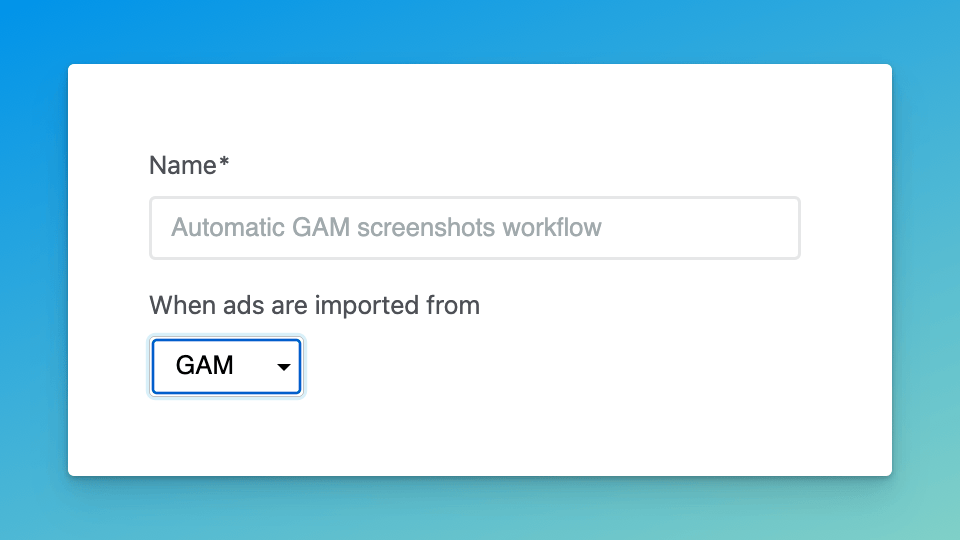
We've updated our [Screenshot Workflows](/december-2023/fully-automated-screenshots) to work with DV360, allowing you to **fully automate screenshots for DV360 creatives**. Quick refresher: Screenshot Workflows let you set up rules to automate screenshots for ads syncing from third-party systems (e.g. GAM, Xandr, and now DV360). You can filter on campaign and client names, set up your preferred devices, and curate a list of sites to use. From there, your screenshots will be on auto-pilot :sparkles:
[Head to Screenshot Workflows to check it out →](https://app.adreform.com/o/_/screenshot_workflows)
### Smart device selection
We added [a new device picker to the screenshot request page](http://help.adreform.com/en/articles/9942574-selecting-devices-when-generating-screenshots#h_aa2fe8f2b0), making it easy to quickly set which device you want to use. But we took at a step further: you can use our **Smart device selection** option to automatically use a device that works well for each ad (based on their dimensions):
### More Fixes & Improvements
* \[beta] Added device frames as an option when downloading screenshots, so the downloaded images will include the device (e.g. iPhone) around the screenshot
* Improved VAST URL parsing to handle certain edge cases and invalid characters
# Xandr: More creative formats and daily IO sync
September 27, 2024
### Expanded support for Xandr creative formats
We’ve updated our Xandr sync to [support more creative formats](http://help.adreform.com/en/articles/8201966-how-does-the-xandr-connector-work#h_e9fc54b778). Namely, we now pull in creatives using the `url-html` format (often HTML5 ads), and we expanded our support for `url-xml` to handle VAST/video ads.
### Ongoing, daily sync for existing Xandr IOs
We will now sync *existing* IOs for 30 days after we first pull them in. Previously, once we saw an IO we got what we could, but creatives added to that IO at a later date would not be pulled in automatically. Now, they will be!
This will help ensure that creatives added later still end up in Ad Reform (and trigger [workflows](http://help.adreform.com/en/articles/8663529-getting-started-with-screenshot-workflows), if configured), all without you lifting a finger.
### More Fixes & Improvements
* Updated [the data mapping for Google DV 360 sync](http://help.adreform.com/en/articles/9611073-how-does-the-google-dv360-connector-work#h_b67bec3cd7): Ad Reform Campaigns now map to DV IOs (instead of DV Campaigns)
* Improved VAST tag support to handle wrapped tags and VPAID more reliably
* Fixed Xandr sync bug for HTML5 ads with no custom macros
* Fixed a race condition for ads imported via URL that caused some error pages when initially trying to view the ad in the web UI
* Fixed a bug in the campaigns list where tooltips weren't working for campaign's with numbers for names
* Fixed a bug with [recurring screenshot requests](/august-2024/recurring-screenshot-requests) to ensure they are run properly
# Import tags from Flashtalking and Amazon Ad Server (Sizmek)
September 13, 2024
We added support for importing tag sheets from Flashtalking and Amazon Ad Server (formerly Sizmek), two popular ad servers.
To try it out, just [head to a campaign](https://app.adreform.com/o/_/campaigns), select the provider on the ad import page, drop your tag sheet, and your off and running.
### Ad info page refresh
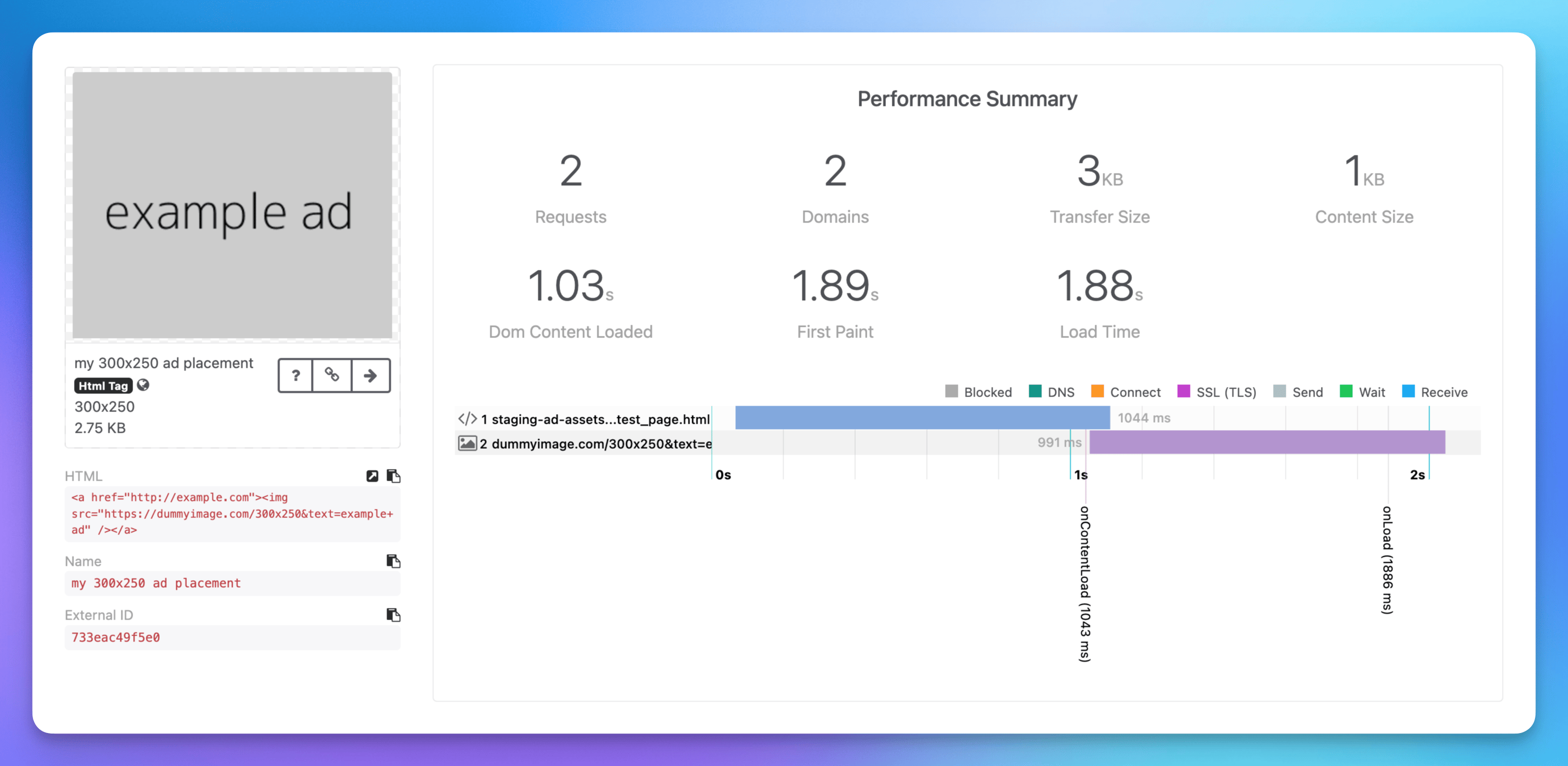
Refreshed ad info page
We also refreshed the ad info page to give the important data more prominence. Here are the highlights:
* Ad tag content (like URL, HTML, name, etc) now live in the left column under the ad preview image).
* The left column is “sticky” as you scroll
* The right column content is cleaner and ad frame images have been promoted to the top of this section
[Jump into your organization and check it out →](https://app.adreform.com/o/_/campaigns)
### More fixes & improvements
* Updated ad preview images to use the last frame by default (instead of the first frame)
* Improved Celtra preview link support when using preview URLs
* Remapped DV 360 sync to map Ad Reform Campaigns to Insertion Orders (instead of DV 360 Campaigns)
* Fixed issue syncing DV 360 campaigns with no ads
* Fixed an issue where ad images were rendered too large in the screenshots table
* Fixed scheduling bug to avoid running scheduled screenshots in deleted campaigns
# Sync creatives from Campaign Manager 360 (via DV360)
August 30, 2024
We updated our DV360 integration to pull in creatives hosted in CM360, giving you a more complete sync of creative data. This expands [our DV360 creative sync](http://help.adreform.com/en/articles/9611073-how-does-the-google-dv360-connector-work#h_e964f797e6) to include third-party hosted creatives and CM-hosted creatives.
If you're not yet using our DV360 integration, [you can check it out here →](https://app.adreform.com/o/_/google_dv_connector/new)
### Upload multiple PowerPoint templates
Building on [our recent addition of custom PowerPoint templates](#upload-multiple-powerpoint-templates), you can now add multiple templates and pick from them when generating presentations.
This is great for customizing templates for different clients or different site properties.
[You can get started with custom PowerPoint templates here →](https://app.adreform.com/o/_/settings/presentation)
### More fixes & improvements
* Added support for more Celtra ad formats
* Added information about whether CM360 sync is enabled on the DV360 integration page
* Updated docs about [how to authorize and sync CM360 creatives](http://help.adreform.com/en/articles/9778309-syncing-creatives-hosted-in-google-cm360-using-the-dv360-connector)
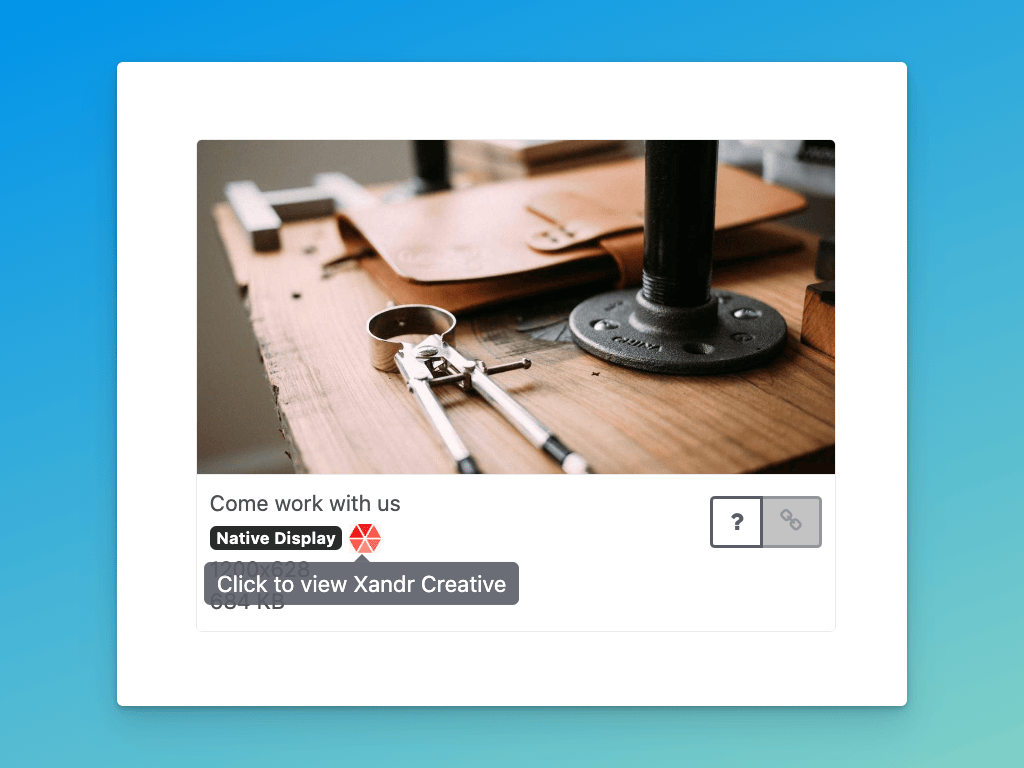
* Updated native ad preview images to incorporate all data fields (not just the image)
* Updated docs about how [GAM implementation](http://help.adreform.com/en/articles/9744886-automating-gam-screenshots-with-screenshot-workflows) works
* Fixed an issue with DV360 sync that caused some ads to be duplicated unnecessarily
* Fixed an issue processing VAST tags with non-standard or missing namespaces
# Recurring screenshot requests
August 9, 2024
With our new recurring screenshots feature, you can automatically generate screenshots every month without lifting a finger. When requesting screenshots, just select **Schedule for later** and use the new **Repeats** option to make your request recurring.
You can even choose to recapture ad preview images each month, which is great way to automate screenshots for rotating creatives. When this option is enabled, we'll create a fresh copy of the ad each time, so you'll have a nice archive of the rotating creatives as well.
[You can learn more about recurring screenshots requests here →](http://help.adreform.com/en/articles/9505420-how-do-scheduled-screenshots-work)
### More improvements & fixes
* Updated DV360 integration to request CM360 permissions
* Updated Xandr sync to handle syncing advertisers with no name
* Fixed emoji rendering issue when generating screenshots
* Fixed a bug that caused some ad filenames to be invalid
* Updated GAM sync to handle line items with empty creative IDs
* Fixed campaign deletion bug for campaigns associated with a Xandr IO
* Fixed race condition when generating presentations using wrappers (this will speed up the generation process)
* Updated screenshot requests to store the selected site list
# Google Display & Video 360 integration (beta)
June 14, 2024
Using our new Google Display & Video 360 (DV360) integration, you can automatically import ad data from DV360 without lifting a finger. Just connect your Google account and we'll start syncing advertisers, orders, and creatives DV360 every day.
As we continue in the beta phase, we'll be adding DV360 support in [Screenshot Workflows](https://ad-reform.productlane.com/roadmap?id=b0535d68-ffe9-41e9-8a8b-50a43064cce9) as well, which will fully automate your screenshot efforts ✨
[Want beta access to our DV360 integration? Let us know →](https://ad-reform.productlane.com/roadmap?id=b68b3ff0-9cd2-4b0b-99cb-bdeee227c53a)
### More improvements & fixes
* Fixed sorting screenshots by `Created` date in the web UI
* Updated webhook retries to stop if the webhook endpoint is deleted
* Improved Xandr-driven Screenshot Workflows to de-duplicate ads using the Xandr Creative ID to reduce screenshot volume
# Custom PowerPoint templates
May 10, 2024
You can now upload branded PowerPoint templates to use when generating presentations, saving you and your team even more time. In addition to dynamically inserting Ad Reform data (e.g. `campaign.name`) into your slides, we'll also reproduce any static content or placeholder slides included in your template in the final result.
[Check it out and let us know what you think →](https://app.adreform.com/o/_/settings/presentation)
### See who requested a given screenshot
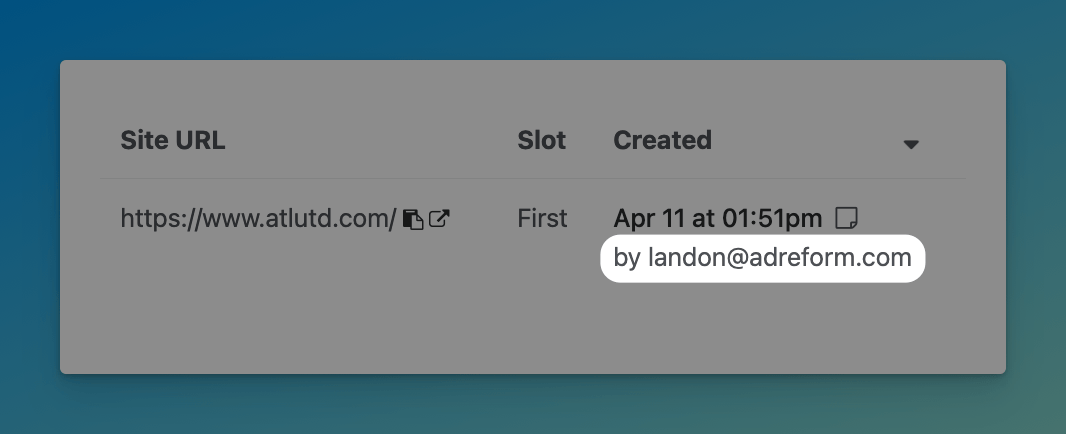
We now show the email address of the person who requested each screenshot, making it easy to differentiate screenshot volume across your team and across import channels (e.g. web vs. API).
### More improvements & fixes
* Fixed Xandr sync error when syncing a Campaign with an IO on-demand with expired or invalid Xandr credentials
* Fixed Xandr sync issue where call-to-action wasn't getting pulled in for native ads
# Microsoft single sign-on (SSO)
April 19, 2024
Ad Reform now supports [SSO using Microsoft Entra ID](http://help.adreform.com/en/articles/9167914-using-microsoft-entra-id-for-single-sign-on-sso).
SSO is useful for teams that want additional controls and visibility across their organization, ensuring that only authorized people have access to your Ad Reform organization.
[To get started with SSO, contact us →](mailto:support@adreform.com?subject=SSO)
### More improvements & fixes
* Added support for [PadSquad](https://padsquad.com/) custom ad creatives
* Fixed bulk tagging for sites (tags weren't getting applied when doing so in bulk)
* Fixed an issue where an organization's default special instructions weren't getting applied in certain cases
* Updated Xandr sync to skip Line Items with no associated Insertion Orders
* Fixed ad frame selection on the screenshots table (when trying to change an ad's frame from the screenshots list, it didn't work)
* Fixed issue with URL placement when using Mac OS wrapper
# Windows OS screenshots
March 8, 2024
When [downloading screenshots with timestamps](http://help.adreform.com/en/articles/3958114-include-url-and-timestamp-in-screenshots-wrappers), you can now select Windows as the operating system (OS) for desktop screenshots. Each OS uses its default browser for screenshots: Mac uses Safari, Windows uses Edge.
### Sync native ads from Xandr
As promised, we've updated our Xandr integration to sync native ads. If you've already connect your Xandr account, you'll start seeing native ads come through.
This also works when importing ads manually in the web UI. If you paste a Xandr preview URL, we'll import it as a banner ad or native ad automatically.
### Fully automated GAM screenshots
We've added GAM support to Screenshot Workflows, enabling fully automated screenshots from GAM creatives. When a GAM workflow runs, we'll automatically find sites that match any custom key/value Line Item targeting ✨
Both the GAM integration and Screenshot Workflows are currently in beta. If you'd like to try them out, [please let us know →](https://product.adreform.com/roadmap?id=35457463-0b53-47d6-ac52-ed12e9b3dc82)
### More improvements & fixes
* Added "reconnect" option for the GAM integration
* Updated how we handle invalid GAM credentials so users get notified that they need to reconnect their GAM account
* Updated GAM sync to sync since the last sync run or up to 7 days ago, whichever is more recent
# Xandr: Sync video ads and import tag sheets
February 9, 2024
Our [Xandr integration](https://app.adreform.com/o/_/xandr_connector) now supports video ads, so we'll automatically pull in any video ads each day when we sync. We're also adding support for native ads, which should be out soon (keep an eye on the changelog).
If you haven't connected Xandr yet, or you just need to do periodic manual imports of Xandr ad data, we've added support for the Xandr tag sheet on our ad import page. Just drop a CSV exported from Xandr and your ads will get loaded right in.
Tip: You can attach a Xandr tag sheet (or any supported file format) to an email and [send it to your Inbound Email address to import ads without even opening the app](https://app.adreform.com/o/_/integrations/inbound_email) ✨
### GAM: Sync HTML5, video, and Campaign Manager 360 tags
Our [GAM integration](https://product.adreform.com/roadmap?id=35457463-0b53-47d6-ac52-ed12e9b3dc82) now supports a lot more ad formats, like HTML5, video, and CM 360. [Check out our help article for the full list of supported formats](http://help.adreform.com/en/articles/8852837-how-does-the-google-ad-manager-gam-connector-work#h_f62dae3d78).
### More improvements & fixes
* Added an in-app notification for users of the Xandr integration if the sync isn't working (due to e.g. invalid or expired credentials)
* Fixed display of long URLs in the sites table (they're truncated now, with a tooltip and quicklinks to copy and open the URL)
* Fixed browser page titles for Screenshot Workflows pages (which makes going forward/back in your browser a little easier)
* Fixed a bug in site lists that caused errors when trying to add the same URL to a site list more than once (now it just works)
* Fixed navigation breadcrumbs on Ads.txt Pro validation request pages
* Updated ads.txt validator emails to send from `notifications@adstxtvalidator.com`
# Import ads from Adform
January 27, 2024
If you use [Adform](https://site.adform.com/), you're about save even *more* time: you can now [import ads in bulk from an Adform Excel tag sheet](http://help.adreform.com/en/articles/8871287-import-ads-from-adform). Just click **Adform** on the ad import page, drop in your Excel file, and you're done.
[Using a different ad platform you want us to support? Let us know →](https://product.adreform.com/roadmap)
### More powerful site lists, for everyone
We've fully launched [our new site lists feature](https://app.adreform.com/o/_/site_lists), which we first started rolling out last November. Our new site lists let you:
* Quickly [paste a site list when requesting screenshots](http://help.adreform.com/en/articles/8671472-getting-started-with-site-lists#h_96cda8d30e)
* [Set up dynamic site lists](http://help.adreform.com/en/articles/8671472-getting-started-with-site-lists#h_d75a9e3495) using tags and filters
* [Fully automate screenshots](http://help.adreform.com/en/articles/8671472-getting-started-with-site-lists#h_6c29a8c314) (when combined with Screenshot Workflows)
For accounts that haven't yet tried the new site lists, we've added four site lists for you to get you started.
[Try out the new site lists here →](https://app.adreform.com/o/_/site_lists)
### Smarter device selection in Screenshot Workflows
When deciding which device to use for automated screenshots in a workflow, we now prioritize devices that are most relevant to an ad's dimensions. To learn more about how it works, [check out our help article](http://help.adreform.com/en/articles/8663529-getting-started-with-screenshot-workflows#h_7647008387).
[Want to fully automate your screenshots? Join the beta →](https://product.adreform.com/roadmap?id=b0535d68-ffe9-41e9-8a8b-50a43064cce9)
### More improvements & fixes
* Expanded GAM sync to support HTML5 and third-party tags (in addition to images)
* Added links to related GAM pages for data synced via GAM Connector
* Revamped the billing page to incorporate invoice history and easier payment method management
* Added an icon to indicate where an ad was imported from (e.g. `web`, `API`, etc.)
* Improved ad tag processing to handle malformed video URLs and newline characters
* Fixed Xandr icon on integrations page
# Google Ad Manager integration (beta)
January 13, 2024
Using our [new Google Ad Manager (GAM) integration](http://help.adreform.com/en/articles/8671324-getting-started-with-the-google-ad-manager-gam-connector), you can automatically import ad data from GAM without lifting a finger. Just connect your Google account and we'll start syncing advertisers, orders, and creatives from GAM every day.
As we continue in the beta phase, we'll be adding GAM support in [Screenshot Workflows](https://ad-reform.productlane.com/roadmap?id=b0535d68-ffe9-41e9-8a8b-50a43064cce9) as well, which will fully automate your screenshot efforts ✨
[Want beta access to our GAM integration? Let us know →](https://ad-reform.productlane.com/roadmap?id=35457463-0b53-47d6-ac52-ed12e9b3dc82)
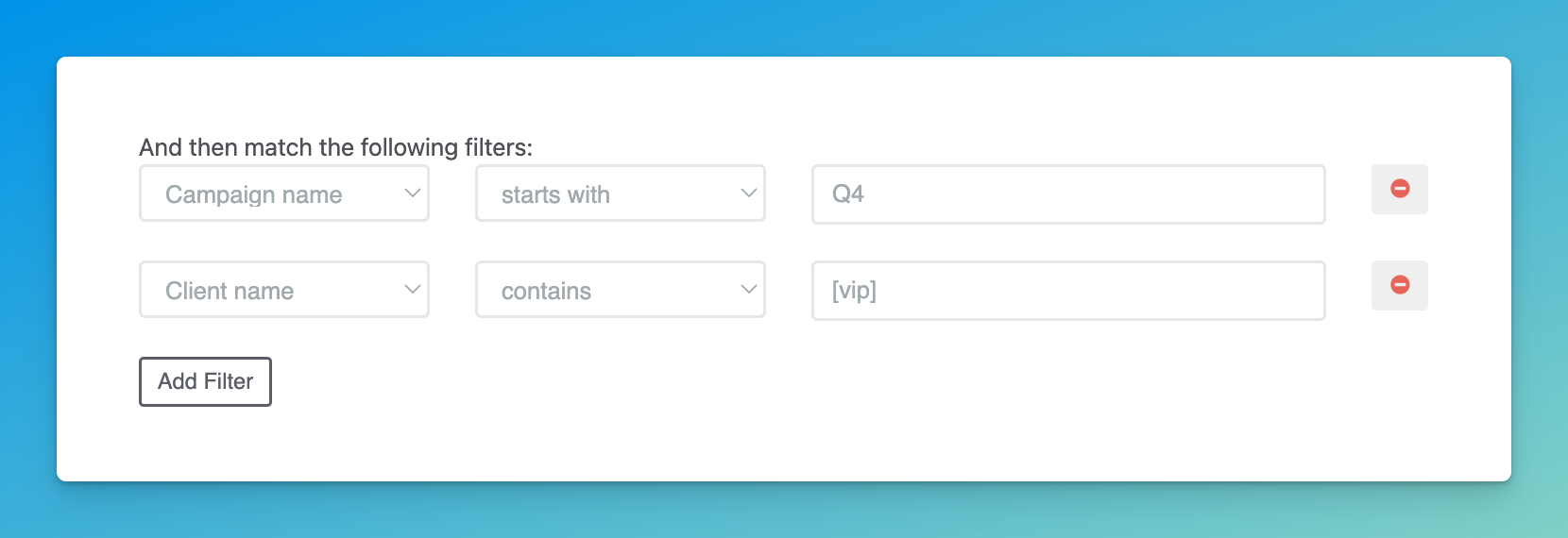
### **Campaign and Client filtering in Screenshot Workflows**
You can now target a workflow to specific campaigns or clients using our new filtering options. This gives you even more control over which screenshots are fully automated, letting you do things like:
* Ensuring any client with `vip` in their name gets a more comprehensive set of screenshots (e.g. on multiple sites and devices)
* Limiting a workflow to certain campaigns (e.g. matching certain patterns)
### More improvements & fixes
* Added default site lists
* Improved ad capture to support more ad creatives that use the `figure` element
* Fixed site list filters to de-dupe filters when creating or updating a dyamic site list
* Fixed race condition on screenshot approval that caused inconsistency with screenshot image URLs
* Fixed site list filtering to properly use `or` instead of `and`
* Fixed campaign creation to ignore deleted campaigns when requiring a unique name for a new campaign
* Fixed race condition that caused minor delays when storing certain screenshot images in a customer-defined S3 bucket
# Add a site list when requesting screenshots
December 15, 2024
You can now add a site list directly from the screenshot request page. This makes it easy to paste in a list of sites for the campaign you're working on (e.g. a site list from your campaign reporting) without leaving the request flow.
Coming soon: Set a site list as the default for a campaign or client
[Interested in trying out the new site lists? Let us know →](https://ad-reform.productlane.com/roadmap/02d3e769-2319-47fc-bc0e-3460aafcbf54)
**More improvements & fixes**
* Added a search field to the site list dropdown when creating/editing a screenshot workflow (this makes it way easier to find the list you want, especially if you have a lot of lists)
* Added support for editing an existing site list (because of course)
* Fixed a race condition when sending `screenshot_set.approved` webhooks that could cause inconsistency between the `status` of a screenshot and the presence of its `image_url`
# Fully automated screenshots
December 1, 2023
Using our [new Screenshot Workflows](https://ad-reform.productlane.com/roadmap/b0535d68-ffe9-41e9-8a8b-50a43064cce9) (now in beta), you can automatically generate screenshots without lifting a finger.
We're starting with ads imported from Xandr, but we'll be rolling out support for ads from other sources (like via [API](http://help.adreform.com/en/articles/7131328-getting-started-with-the-api) or [inbound email](http://help.adreform.com/en/articles/6216070-import-ads-run-screenshots-via-email)) soon.
Just choose your devices, pick a site list, and sit back while the screenshots roll in!
[Interested in trying the beta? Let us know →](https://ad-reform.productlane.com/roadmap/b0535d68-ffe9-41e9-8a8b-50a43064cce9)
#### Paste a site list
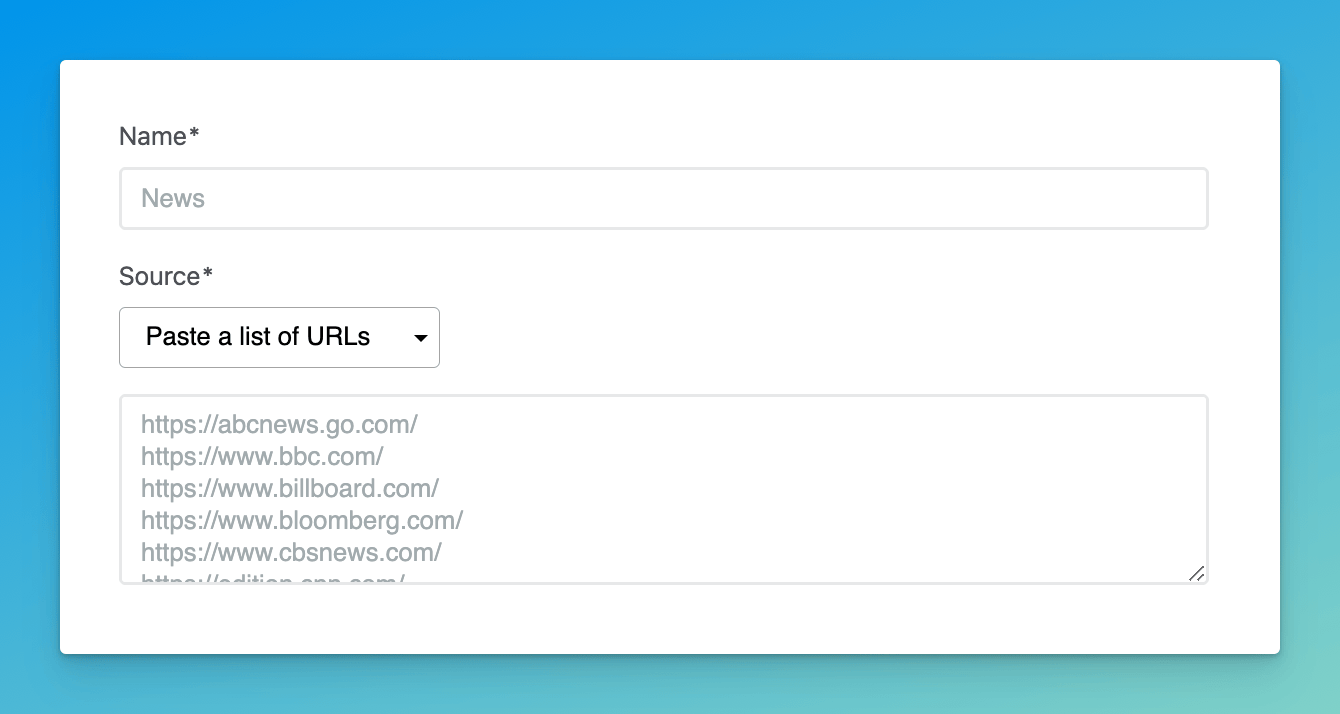
Building on our new site lists features, we've added support for pasting a list of URLs. In addition to being simpler than our powerful filter-based approach, it sets us up for the next phase of site lists:
* Paste a site list when creating a campaign
* Paste a site list when adding a client
[Interested in trying out the new site lists? Let us know →](https://ad-reform.productlane.com/roadmap/02d3e769-2319-47fc-bc0e-3460aafcbf54)
#### More improvements & fixes
* Added search field to the site list dropdown on screenshot request form
* Improved how we update dynamic site lists so the dropdown loads more quickly when requesting screenshots
* Fixed a bug where clicking the placeholder in the site list dropdown caused 404 error
* Fixed a bug where VAST tags that use `mpeg` video files weren't properly converted to `mp4` files (for frame capture)
# More powerful site lists (beta)
November 10, 2023
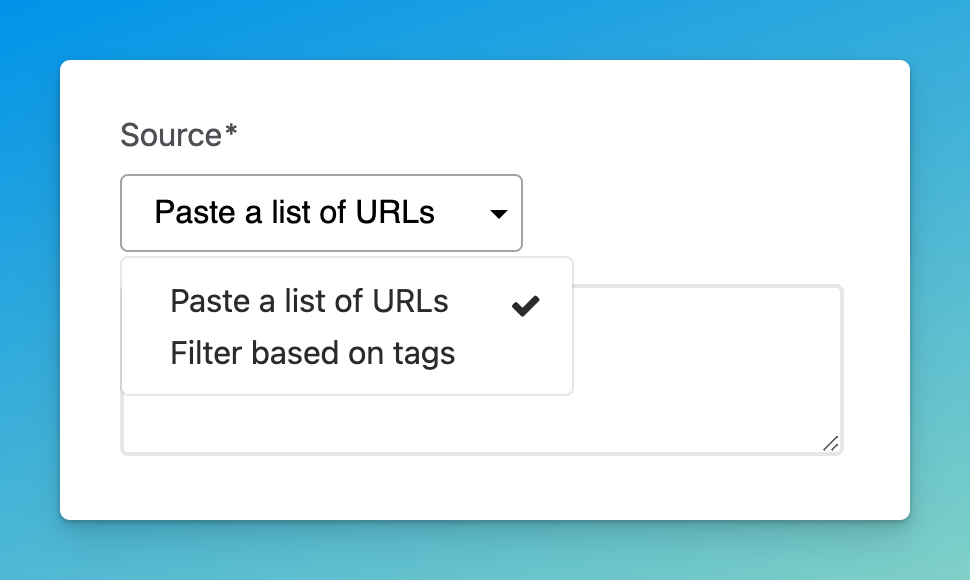
To make it even easier to select sites for screenshots, we're working on new site list features. The first of these, which is now in beta, gives you the ability to build **dynamic site lists using tags**.
For teams using tags heavily, this will make it easy to build site lists that have a variety of attributes. As new sites are added and tagged, they'll be pulled in to your dynamic site list automatically.
This new site list functionality also plays into our [Screenshot Workflows project](https://ad-reform.productlane.com/roadmap/b0535d68-ffe9-41e9-8a8b-50a43064cce9), which will let you set up rules to fully automate screenshot requests. More on that soon...
[If you're interested in trying the new site list features, let us know →](https://ad-reform.productlane.com/roadmap/02d3e769-2319-47fc-bc0e-3460aafcbf54)
In the meantime, here's what's up next for site list improvements:
* Quickly paste a list, name it, and re-use it
* Set site lists as default for Campaigns and Clients
**More improvements & fixes**
* Added `status` field to screenshot data in the `screenshot_set.approved` webhook payload (see [docs](https://docs.adreform.com/reference/webhooks-reference#status-1))
* Added support for multiple levels of wrapped VAST tags (previously we only handled one level)
* Fixed issue where certain screenshots were marked as `no matching ad slot` but should be marked as `ad not captured`
* Fixed issue where some screenshots weren't displayed properly, despite being uploaded
# Improved tag sheet email forwarding
When [forwarding tag sheets to Ad Reform](http://help.adreform.com/en/articles/6216070-import-ads-run-screenshots-via-email), you can now decide if you want us to auto-detect site URLs in your email and request screenshots automatically.
Before, we did this by default, which could be confusing if your email included links unrelated to screenshots (e.g. links in an email signature).
### Get help with a screenshot in one click
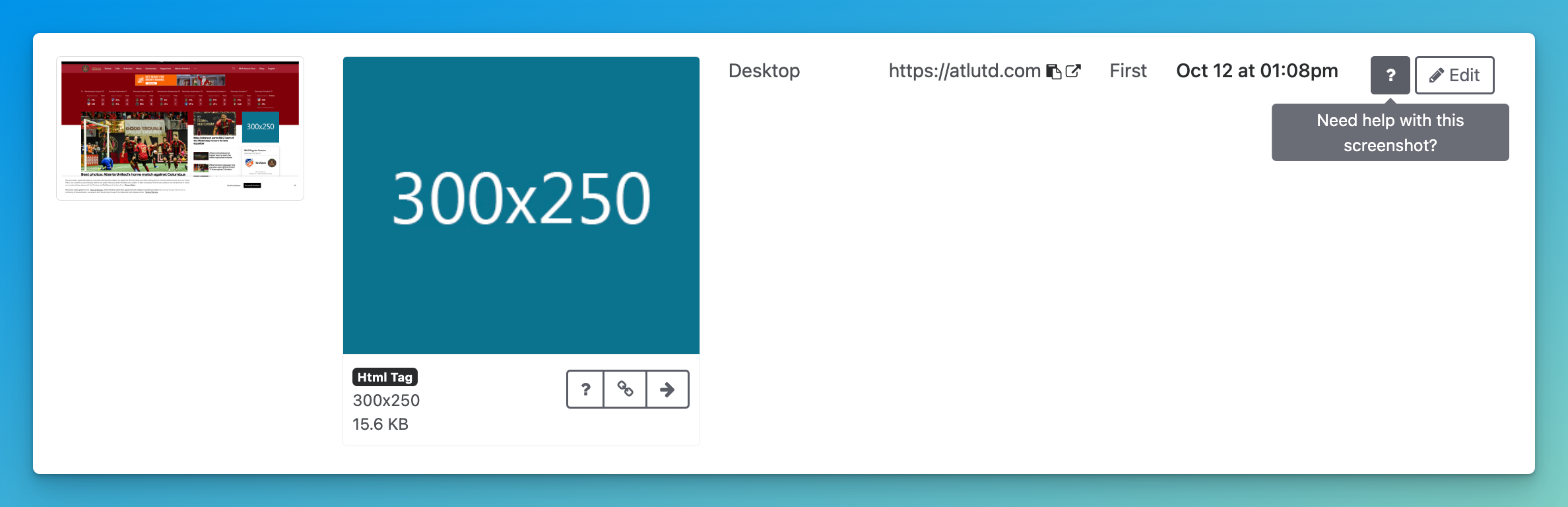
Need assistance with a screenshot? Now you can start a conversation with us in just one click, straight from the screenshot table. Getting help has never been easier!
### New automation backend
Over the past six months, we've been working tirelessly to modernize and improve our automation backend. The good news? It's officially live! While you might not notice immediate changes, this upgrade significantly speeds up ad and screenshot capture. Plus, it sets a strong foundation for future enhancements.
### More improvements & fixes
* We fixed a permissions issue that prevented some users from accessing the Integrations page. Now it's accessible to all teammates, not just organization admins.
* We fixed an issue where, in certain circumstances, a screenshot image would get removed after a set was approved (this was a regression in our new automation backend)